
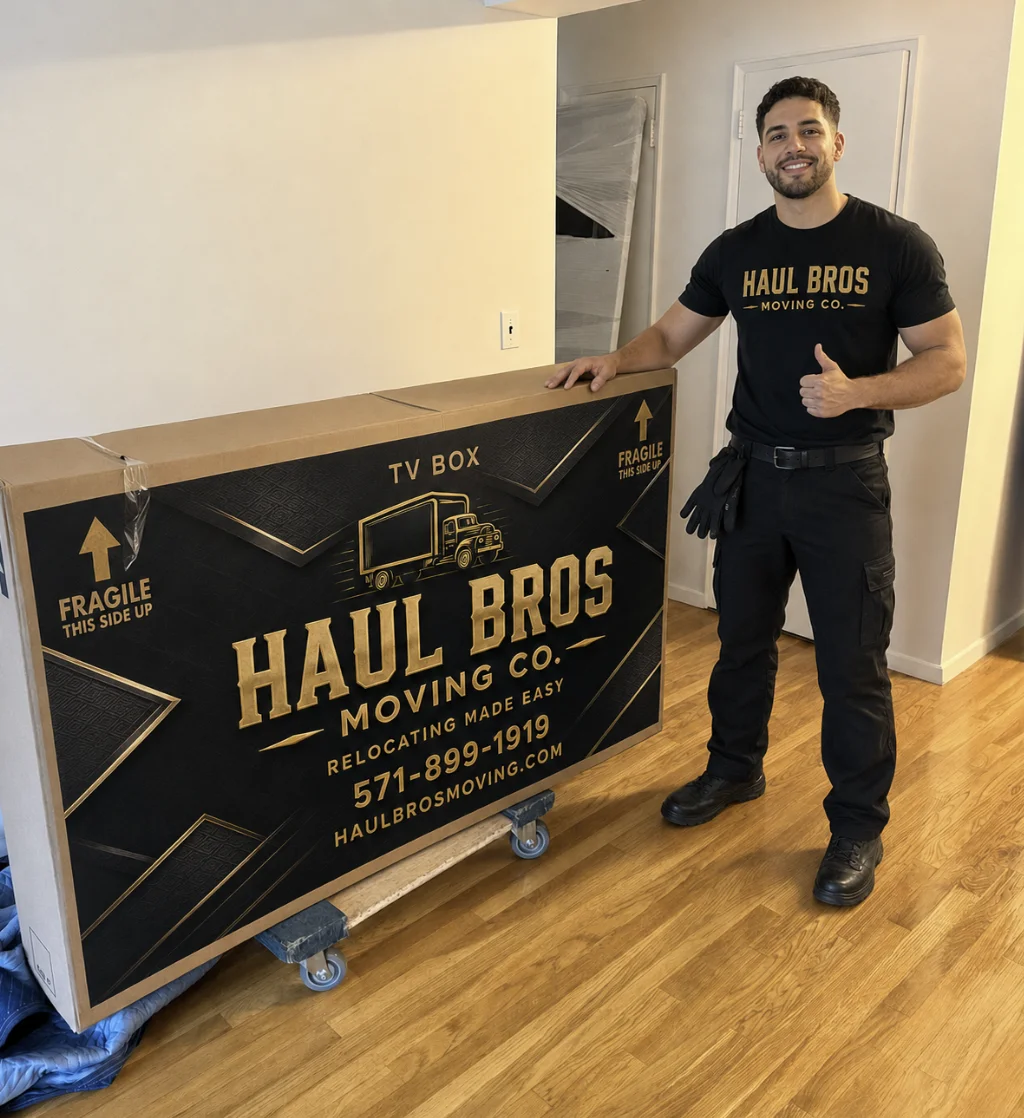
Electronics are some of the most valuable and delicate items in your home or office. Televisions, computers, gaming consoles, printers, speakers, cameras, tablets, and smart-home devices can be expensive to replace and difficult to repair if they are damaged during a move.
Packing electronics correctly helps protect them from scratches, cracked screens, impact damage, moisture, static electricity, loose cables, and temperature changes.
At Haul Bros Moving Co LLC, we help customers safely move electronics throughout Northern Virginia, Washington, D.C., and Maryland. Whether you are moving from an apartment in Arlington, a townhouse in Woodbridge, a home in Fairfax, or an office in Fredericksburg, careful preparation can make moving day much easier.
Why Electronics Need Special Protection
Electronics contain delicate screens, circuit boards, storage drives, connectors, batteries, and power supplies. Even a short local move can cause damage if devices are not packed and secured properly.
Proper electronics packing helps:
- Reduce scratches, cracks, and impact damage
- Protect important files and personal data
- Prevent cords and accessories from becoming lost
- Make unpacking and setup easier
- Keep boxes organized
- Protect your investment
- Reduce stress during the move
If you need help with the complete moving process, our comprehensive moving services are available for residential and commercial relocations.
Electronics to Prepare Before Moving
Before packing, create a list of every electronic device in your home or office.
Large Electronics
- Flat-screen televisions
- Desktop computers
- Computer monitors
- Home theater systems
- Large speakers
- Printers and copiers
- Projectors
- Exercise equipment with electronic controls
- Entertainment systems
Medium Electronics
- Laptops
- Gaming consoles
- Printers
- Audio receivers
- Wi-Fi routers
- Small speakers
- Streaming devices
- Kitchen appliances with electronic controls
Small Electronics
- Tablets
- Smartphones
- Digital cameras
- Smartwatches
- External hard drives
- USB devices
- Headphones
- Chargers
- Smart-home accessories
Each device requires a slightly different packing method.
Packing Materials for Electronics
Use high-quality packing materials to reduce the risk of damage.
Recommended supplies include:
- Original manufacturer boxes
- Strong moving boxes
- Bubble wrap
- Packing paper
- Foam sheets
- Moving blankets
- Anti-static bags
- Zip-top bags
- Twist ties or cable ties
- Strong packing tape
- Plastic wrap
- Box labels
- Permanent markers
Avoid placing loose newspaper directly against screens or light-colored surfaces because ink may transfer. Packing paper, foam, or bubble wrap is safer.
For customers who do not have time to pack, Haul Bros offers professional packing and unpacking services for homes, apartments, offices, and storage units.
Step 1: Back Up Important Data
Before unplugging computers, external hard drives, cameras, and other storage devices, back up your important files.
Important files may include:
- Family photographs
- Business documents
- Schoolwork
- Tax records
- Password backups
- Work files
- Videos
- Financial records
Use cloud storage, an external backup drive, or another secure backup method.
Keep backup drives, laptops, phones, and sensitive information with you instead of placing them in the moving truck.
Step 2: Photograph Your Electronics Setup
Before disconnecting your television, computer, gaming system, sound system, or office equipment, take clear photographs of the connections.
Photograph:
- The back of each device
- Cable connections
- Power strips
- Router connections
- Speaker wires
- Monitor connections
- Gaming-console hookups
- Printer cables
You can also label cables and ports with colored stickers or numbers. This will make reconnecting everything at your new home much easier.
For additional preparation advice, visit our moving tips and guides page.
Step 3: Shut Down and Unplug Devices
Turn off each device using its normal shutdown process. Do not unplug computers, gaming systems, or external drives while they are operating.
After shutting down:
- Unplug the device.
- Remove batteries when possible.
- Detach cords and accessories.
- Allow the equipment to cool.
- Clean dust from vents and surfaces.
- Place small parts in labeled bags.
Never force cables out of ports. Pulling on a connector can damage both the cord and the device.
Step 4: Remove Batteries and Secure Moving Parts
Remove batteries from:
- Remote controls
- Cameras
- Wireless keyboards
- Wireless mice
- Portable electronics
- Smart-home devices
- Electronic toys
Store batteries separately in labeled bags.
For printers, scanners, and other equipment with moving parts, follow the manufacturer’s instructions. Secure trays, doors, covers, and removable components before packing.
Step 5: Use the Original Boxes
The original packaging is usually the best choice because it was designed for the specific device. It may include custom foam inserts, sleeves, supports, and compartments.
If you no longer have the original box, use a strong box that is slightly larger than the device. Add enough protective material to prevent movement without forcing the device inside.
How to Pack a Flat-Screen TV
Flat-screen televisions require special care because the screen can crack under pressure.
- Remove the stand if possible.
- Wrap the screen with a soft cloth or foam sheet.
- Add bubble wrap around the television.
- Protect the corners.
- Use the original box whenever possible.
- Keep the television upright.
- Fill empty spaces so the TV cannot shift.
- Label the box “FRAGILE” and “KEEP UPRIGHT.”
Never place a television flat under heavy furniture or boxes.
How to Pack a Desktop Computer
To pack a desktop computer:
- Shut it down completely.
- Disconnect and label all cables.
- Remove discs, USB drives, and accessories.
- Back up important files.
- Place removable parts in labeled bags.
- Wrap the computer tower with foam or bubble wrap.
- Place it inside a strong box.
- Fill empty spaces with packing paper or foam.
- Label the box clearly.
If the computer contains a mechanical hard drive, handle it carefully and avoid dropping or shaking the box.
How to Pack a Laptop
Whenever possible, carry your laptop with you instead of placing it in the moving truck.
Use:
- A padded laptop case
- A protective backpack
- A secure personal vehicle
- A bag that prevents pressure on the screen
Keep the laptop charger, mouse, docking station, and accessories together in a labeled pouch.
How to Pack Gaming Consoles
Before packing a gaming console:
- Remove discs
- Disconnect all cables
- Wrap the console in foam or bubble wrap
- Protect controllers separately
- Place games in a labeled container
- Keep power cords together
- Use the original packaging if available
Avoid placing heavy items on top of gaming-console boxes.
How to Pack Printers
Printers may contain removable trays, ink cartridges, toner, and other components.
Before moving:
- Follow the manufacturer’s shutdown instructions
- Remove ink cartridges if recommended
- Seal cartridges separately in plastic bags
- Secure trays and doors
- Wrap the printer carefully
- Keep it upright when possible
- Label the box with the printer model
Ink and toner can leak if they are not prepared properly.
How to Organize Cords and Accessories
Cords and accessories are easy to lose during a move. Keep each device’s accessories together.
- Bundle cords with twist ties.
- Place them in a labeled zip-top bag.
- Label the bag with the device name.
- Store the bag inside or next to the correct box.
- Keep essential chargers in a personal bag.
Do not put every cable from the entire house into one box. This usually creates confusion during unpacking.
How to Fill and Seal Electronics Boxes
After wrapping the device:
- Place cushioning at the bottom of the box.
- Position the device in the center.
- Add protection around every side.
- Fill empty spaces so the device cannot move.
- Add cushioning on top.
- Seal the box with strong packing tape.
- Label the contents and destination room.
A properly packed electronics box should not rattle when gently moved.
How to Protect Electronics from Weather
Northern Virginia, Washington, D.C., and Maryland experience rain, snow, heat, humidity, and sudden weather changes.
To protect electronics:
- Keep boxes away from rain and snow.
- Use plastic covers when necessary.
- Do not leave electronics in a hot vehicle.
- Avoid prolonged exposure to freezing temperatures.
- Keep boxes away from wet floors.
- Use floor protection near entrances.
- Let devices return to room temperature before turning them on.
If electronics have been exposed to extreme cold, allow them to warm gradually before powering them on. This helps reduce condensation inside the device.
Moving Electronics from an Apartment or Condo
Apartment and condo moves may require additional planning because of:
- Elevator reservations
- Long hallways
- Stairs
- Loading docks
- Parking restrictions
- Building move-in and move-out rules
If you are moving electronics from a studio, apartment, condo, or high-rise building, learn more about our apartment moving services.
Our Northern Virginia apartment moving guide also provides additional preparation information.
Moving Electronics for an Office
Office electronics often include computers, monitors, printers, copiers, routers, servers, conference-room equipment, and other business technology.
Before an office move:
- Back up business data.
- Label each workstation.
- Photograph equipment connections.
- Coordinate with your IT provider.
- Keep sensitive records secure.
- Identify fragile and high-value equipment.
- Confirm elevator and loading-area rules.
- Create a department-by-department inventory.
Haul Bros provides commercial and office moving services for businesses throughout Northern Virginia, Washington, D.C., and Maryland.
Moving Electronics Long Distance
Long-distance moves require additional planning because electronics may remain in transit longer and travel through different weather conditions.
For a long-distance move:
- Back up all important files.
- Keep laptops, phones, cameras, and sensitive data with you.
- Use strong boxes and generous cushioning.
- Create an electronics inventory.
- Photograph expensive items before packing.
- Keep receipts or serial numbers when available.
- Protect boxes from moisture.
- Ask about valuation and claims procedures.
For moves outside the local DMV area, review our long-distance moving services.
Should You Pack Electronics Yourself?
Many customers pack small electronics themselves but hire professional movers or packers for televisions, home offices, entertainment systems, and large quantities of equipment.
Professional packing may be useful when:
- You have many electronic devices.
- You no longer have original boxes.
- You are moving an office.
- You have large televisions or sound systems.
- You are short on time.
- You are concerned about fragile or expensive items.
- You are moving long distance.
- You need help organizing cables and accessories.
Haul Bros can help prepare and move electronics as part of a residential, apartment, townhouse, commercial, office, or storage-related relocation.
Moving Electronics into Storage
If your electronics need to be stored between homes, pack them carefully and protect them from moisture, dust, temperature changes, and impact.
Our storage solutions can help coordinate moving belongings into or out of storage during a relocation.
Always confirm the storage facility’s temperature, access, insurance, and storage requirements before placing electronics inside.
What to Do After Electronics Arrive
After your move:
- Inspect the boxes before opening them.
- Check for visible damage.
- Allow devices to reach room temperature.
- Reconnect equipment using your photographs and labels.
- Test important devices.
- Keep damaged packaging until inspection is complete.
- Report concerns promptly.
Do not throw away boxes or packing materials until you are certain all electronics are working properly.
Moving Electronics with Haul Bros Moving Co LLC
Packing electronics correctly requires planning, patience, and the right materials. Backing up your files, photographing connections, organizing cords, protecting screens, and preventing movement can significantly reduce the risk of damage.
Haul Bros Moving Co LLC provides professional moving and packing support throughout Northern Virginia, Washington, D.C., and Maryland, including Woodbridge, Dale City, Lake Ridge, Dumfries, Stafford, Fredericksburg, Manassas, Gainesville, Haymarket, Fairfax, Springfield, Alexandria, Arlington, McLean, Tysons, Reston, Ashburn, Sterling, and surrounding communities.
Our services include:
- Local moving
- Apartment moving
- Townhouse and house moving
- Senior moving
- Commercial and office moving
- Long-distance moving
- Packing and unpacking
- Labor-only moving
- Storage solutions
- Junk removal
- Oversized-item moving
Our crews arrive prepared with professional moving equipment, moving blankets, shrink wrap, dollies, and floor protection. We provide clear estimates and transparent pricing with no surprise fees.
Read what customers say on our reviews page or learn more about Haul Bros Moving Co LLC.
Call 571-899-1919, email relocating@haulbrosmoving.com, or contact Haul Bros Moving Co LLC to request your moving estimate.
Haul Bros Moving Co LLC — Relocating made easy.